Beach Blog · Condos & vacation rentals
Wi-Fi password photo on arrival: screenshot before you unpack
Priya Shah on capturing the condo Wi-Fi password the moment you walk in—before phones panic, kids stream, and the router label disappears behind a couch.

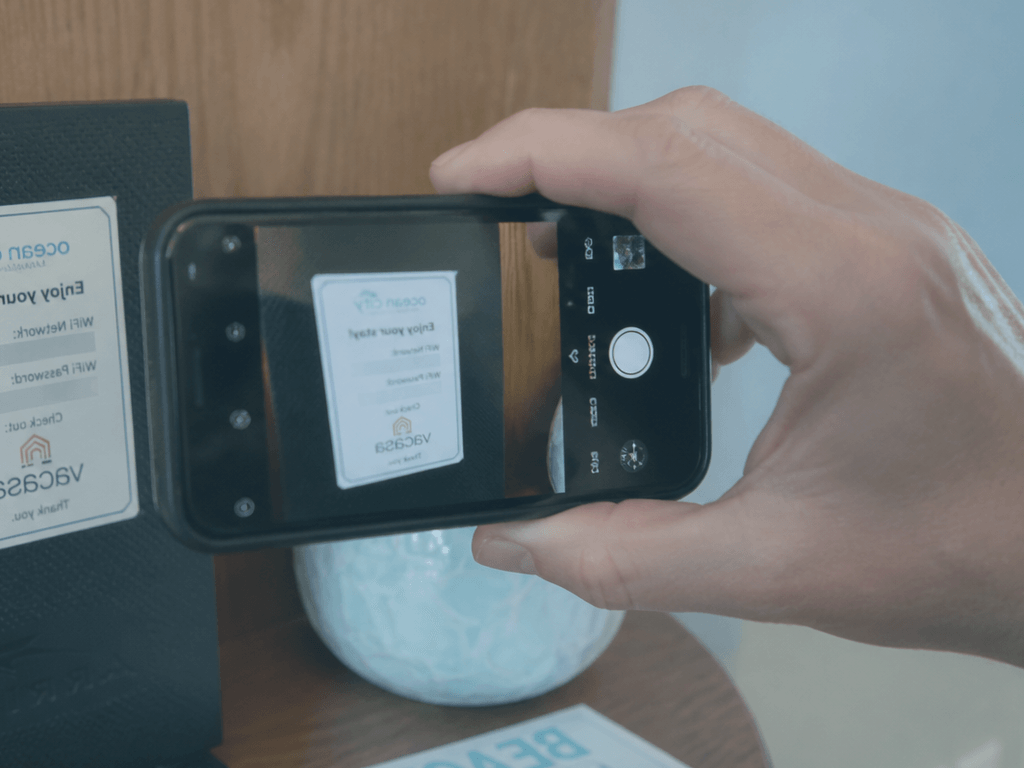
I’m Priya Shah. I manage corporate travel for a living, which means I’ve seen entire teams stranded without connectivity because someone assumed the password would be “obvious.” Ocean City condo weeks amplify that failure mode: twelve devices, one router, a welcome binder buried under takeout menus, and teenagers who treat offline like a human-rights violation.
Screenshot before you unpack. The password lives on a sticky note, a fridge magnet, or a laminated card that will migrate exactly once—usually behind the TV stand.
Our Ocean City rentals hub covers booking. This covers the arrival hour when everything else can wait except the network.
How wi-Fi password photo on arrival showed up mid-week
The password was on the router in the living room closet. Someone read it aloud while I typed. Three devices connected. Success.
Then we moved the router to “a better spot” because the shelf was awkward. The sticky note stayed on the old shelf. By Sunday morning nobody remembered the string—capital I or lowercase l, a zero or an O—and the rental office line was busy with every other Saturday arrival in town.
We found the card eventually. It took twenty minutes of looking that should have taken twenty seconds of photographing.
That twenty minutes is the tax for skipping the screenshot. I pay it once per family group, then I write articles so you don’t.
The takeaway on wi-Fi password photo on arrival
Unpacking triggers chaos: groceries, bed assignments, beach gear avalanche, someone testing the shower. The Wi-Fi card is small and mobile. Housekeeping rotates them. Owners update passwords between guests and forget to tell you until you ask.
Photographing on entry—before a single bag hits a bed—creates a shared artifact:
- Screenshot the card, the router label, or the welcome email QR code.
- Drop it in the group chat pinned message.
- AirDrop to anyone who won’t check the chat.
If the network has two bands (2.4 vs 5 GHz), capture both names if they’re listed. Smart home devices and older tablets care.
Test one connection before you celebrate. “Connected” without internet happens when the upstream modem needs a reboot—different problem, but you’ll know in thirty seconds instead of after everyone’s downloaded a system update.
Night-before moves for wi-Fi password photo on arrival
Ocean City isn’t a digital detox unless you choose it. Maps, restaurant hours, boardwalk cashless spots, ride shares, and “where are the kids” all want data. Condo Wi-Fi is often fine; sometimes it’s oversubscribed on turnover Saturdays when every unit runs updates at once.
Screenshotting the password is step one. Step two is knowing where the router lives and whether the owner left reboot instructions—often taped inside the closet door. I photograph that too. Boring? Yes. Cheaper than a hotspot overage.
For mixed-age groups, assign one adult network owner for the week: password keeper, reboot caller if needed, the person who tells teens not to run four simultaneous 4K streams while someone’s on a video call.
Local friction around wi-Fi password photo on arrival
Hotels often put credentials on a tent card or captive portal—still photograph or save to wallet. Condos vary wildly: owner-managed units may use consumer-grade routers with passwords that look like keyboard sneezes.
If the listing promised “high-speed” and delivers 8 Mbps on a good day, your screenshot won’t fix physics—but it removes one variable from the complaint call.
Non-negotiables for wi-Fi password photo on
- Typing from memory after one device connects. Memory lies about special characters.
- Assuming kids will share. They won’t until you force the pinned message ritual.
- Leaving the card on the fridge for “everyone to see.” Everyone won’t; the card will walk.
- Waiting until bedtime when the office is closed. Arrival hour is the support hour.
Thursday truth for wi-Fi password photo on arrival
- Photo the password card or router label before unpacking
- Pin screenshot in group chat; test one device immediately
- Note router location and reboot instructions if posted
- Capture both network names if 2.4 and 5 GHz are separate
- Assign one adult as network owner for the week
One last wi-Fi password photo on arrival check
Screenshot before you unpack. The ocean will still be there after thirty seconds of connectivity hygiene—and your group chat will thank you on day three.
Next step: make the Wi-Fi photo the first photo in your Ocean City album. Everything else can wait.
Also on OCEANCITY.MD: Ocean City rentals · hotels · Priya Shah · Beach Blog


